Branded Tracking Page
Use the shortcode tracking page to let customers search by Order ID and billing email.
TrackForge Pro turns ordinary WooCommerce order updates into a premium customer tracking portal with custom stages, block and shortcode support, My Account timelines, ETA, email alerts, WhatsApp notifications, courier details, and notification logs.
TrackForge Pro combines the tracking portal, admin workflow, customer touchpoints, notification system, courier visibility, reviewer demo flow, and audit logs into one WooCommerce extension.
Use the shortcode tracking page to let customers search by Order ID and billing email.
Create the store's own fulfillment journey with custom names, colors, icons, and ordering.
Send stage emails and optional WhatsApp alerts using flexible templates and placeholders.
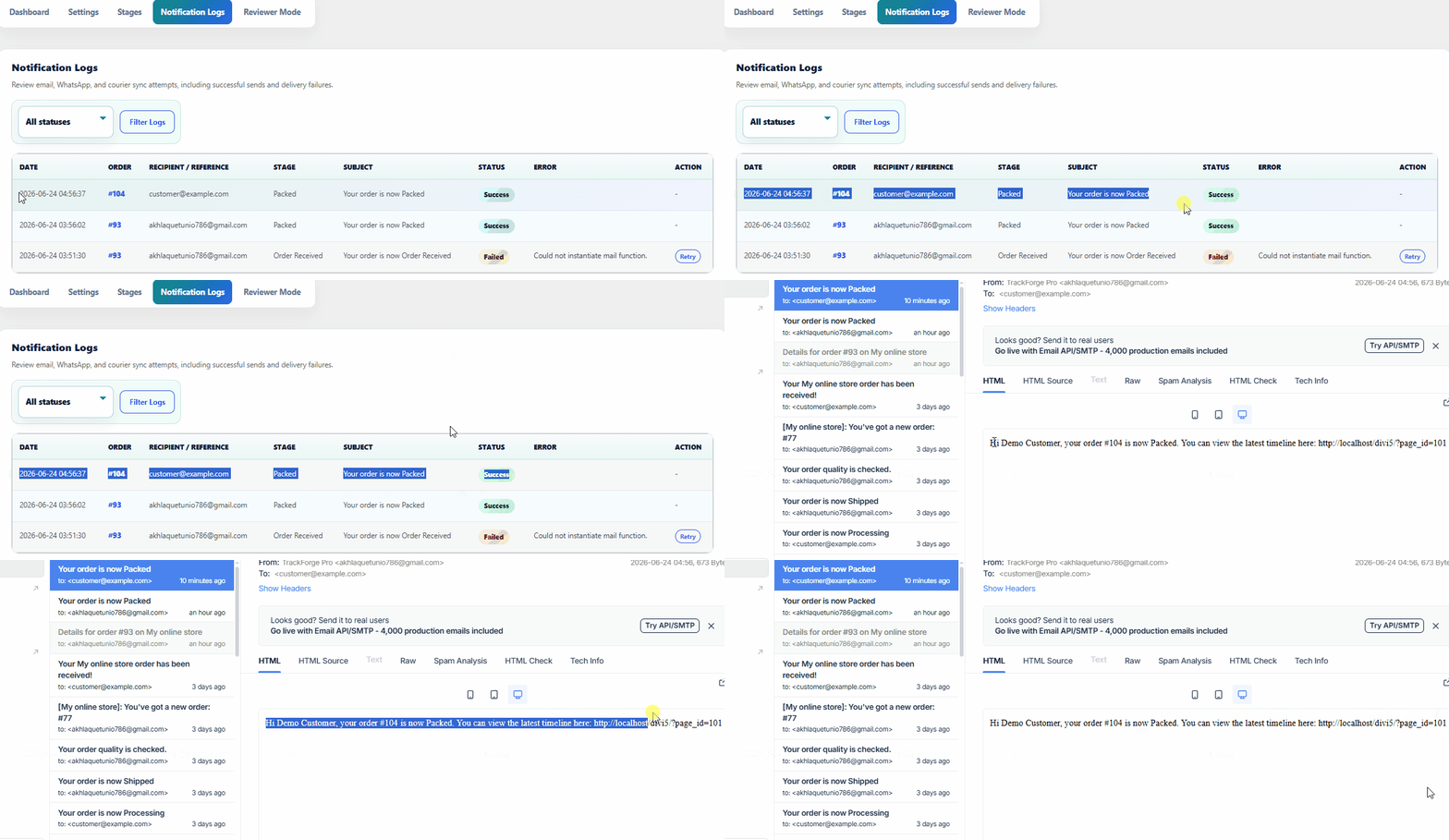
Review every email, WhatsApp, and courier sync attempt with success or failure status.
Publish the customer tracking portal with a native block while keeping shortcode support for classic pages.
Give logged-in customers direct access to their TrackForge timeline from WooCommerce account pages.
Add a tracking card to WooCommerce emails so customers return to the branded portal after purchase.
Create sample stages, demo order data, mock notifications, and reviewable logs for marketplace testing.
Customers enter their Order ID and billing email to view a secure branded timeline. Wrong details return a safe generic error, while valid orders reveal the full fulfillment journey.
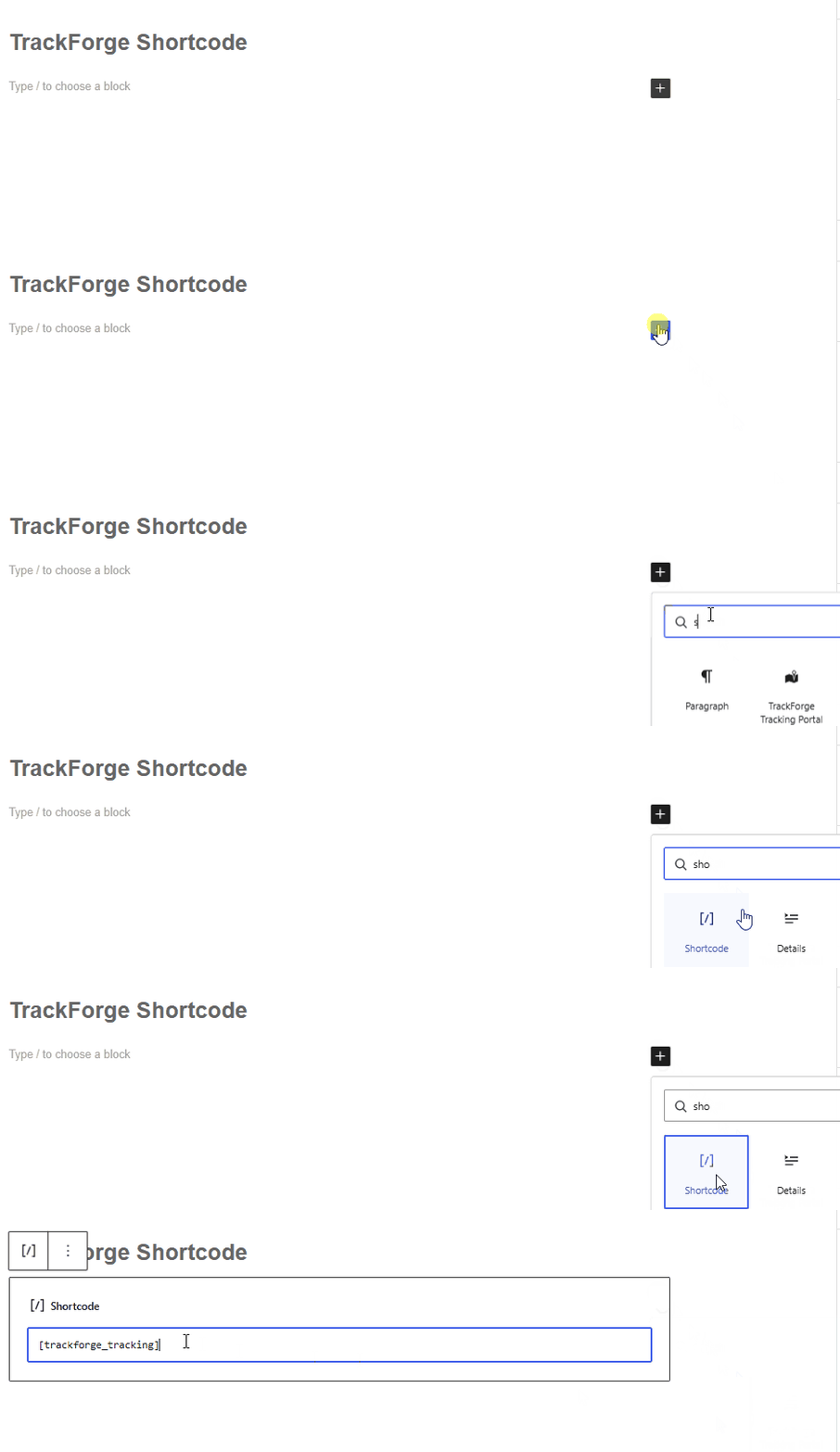
[trackforge_tracking]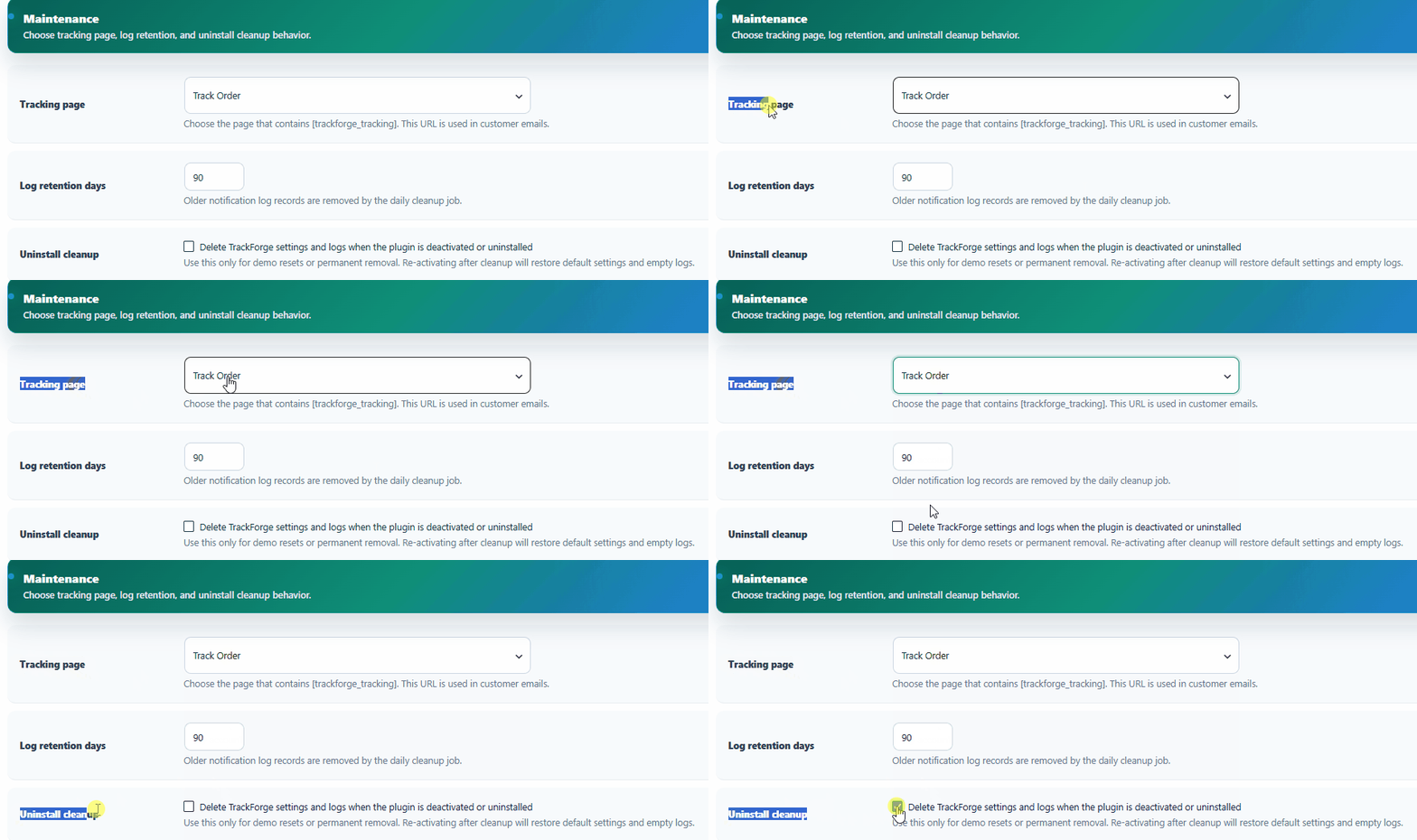
Store owner selects the public tracking page and connects the portal URL used across customer emails and lookup flows.
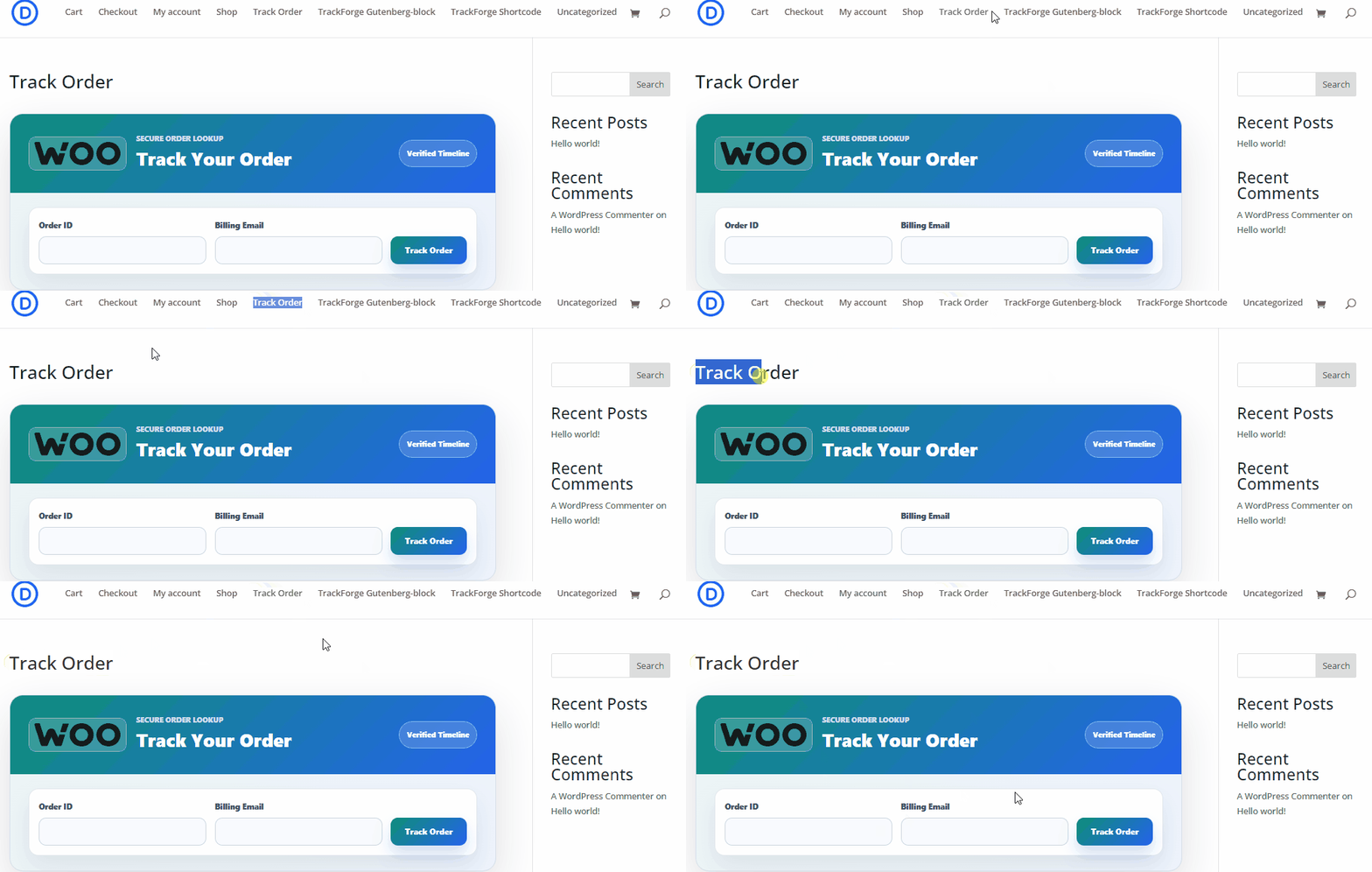
Customer enters the order ID and billing email, then sees a verified branded timeline only when the details match.
Reviewers and store owners can create the tracking page with the TrackForge block, while existing stores can keep using the classic shortcode without changing their setup.
trackforge-pro/tracking-portal[trackforge_tracking]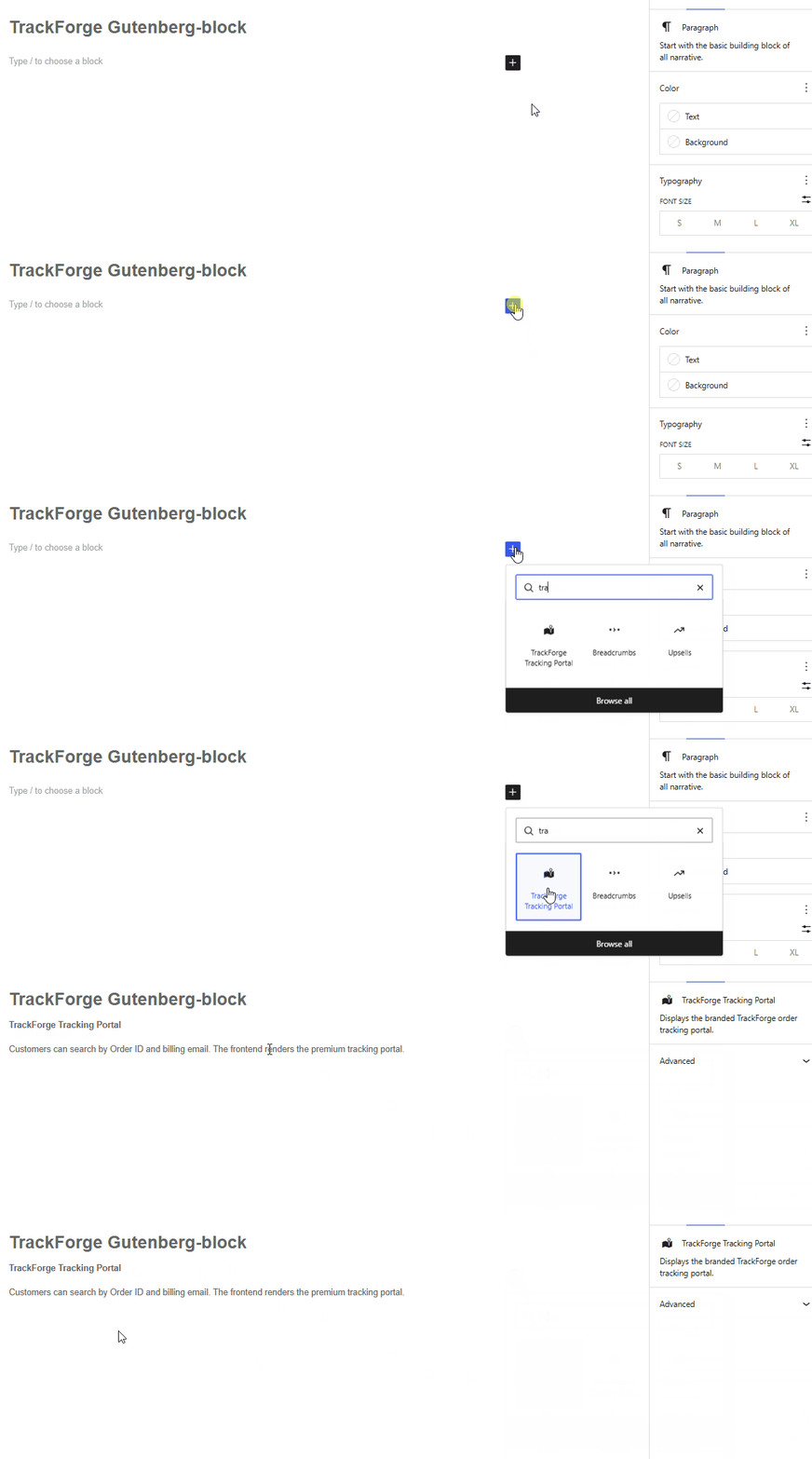
Admins can publish the tracking portal with the native TrackForge block inside the WordPress editor.
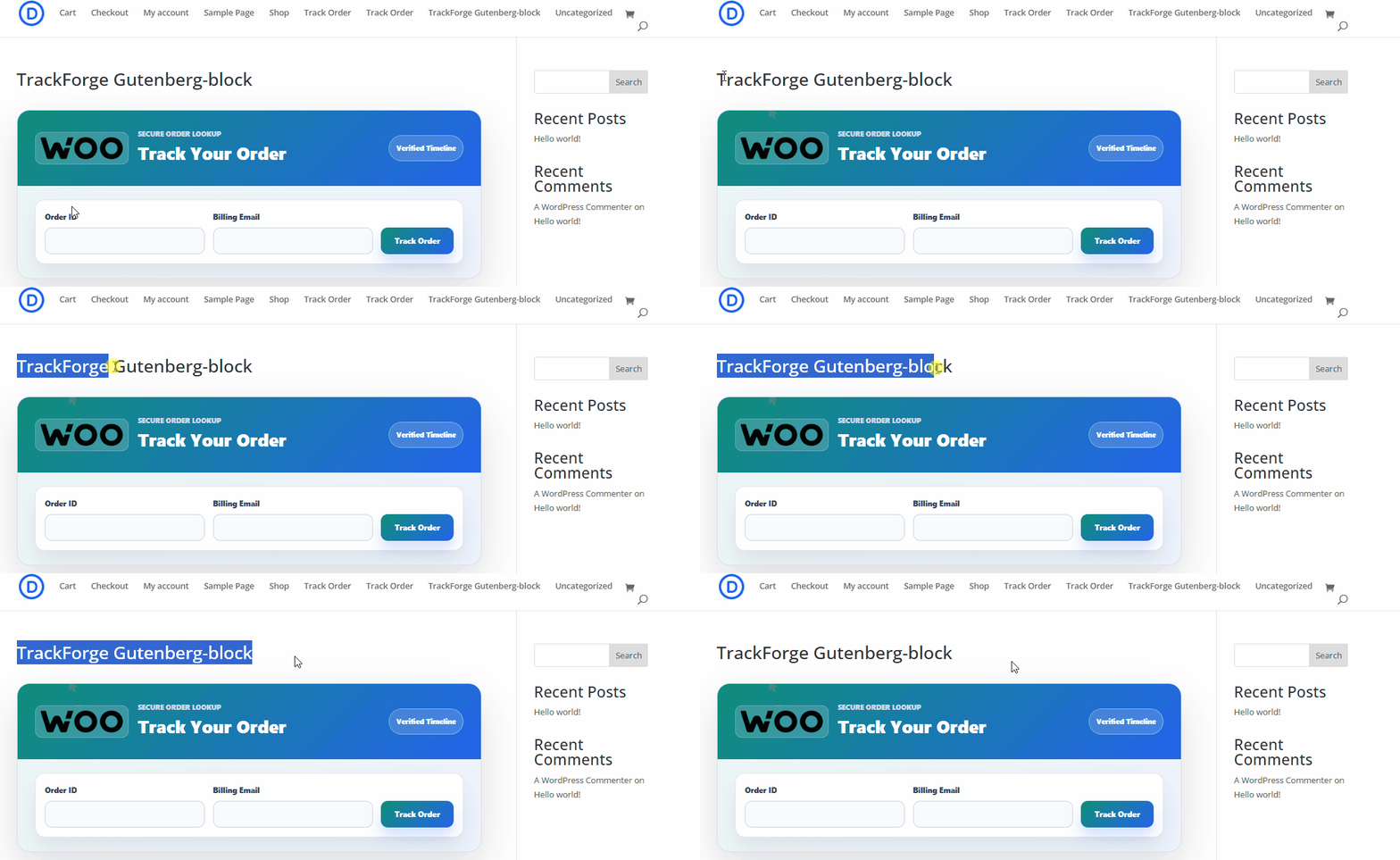
The block renders the same polished customer tracking form and timeline on the public page.
Classic editor and page builder users can use the shortcode without changing their existing page workflow.
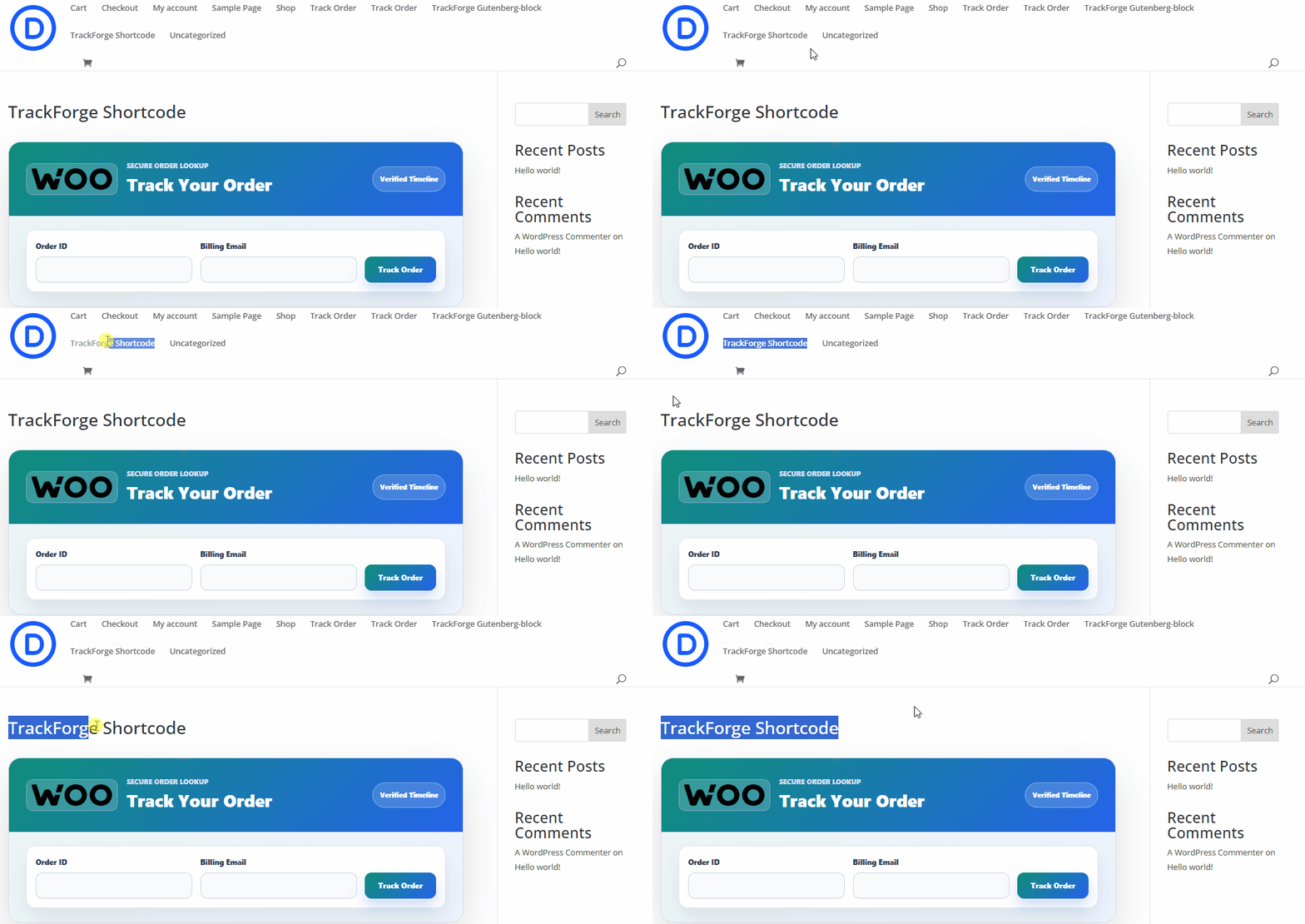
The shortcode produces the same frontend tracking experience as the block, keeping old and new stores covered.
TrackForge adds customer-facing tracking paths after checkout so buyers do not need to contact support just to understand order progress.
Customers can open their TrackForge timeline from the WooCommerce order list.
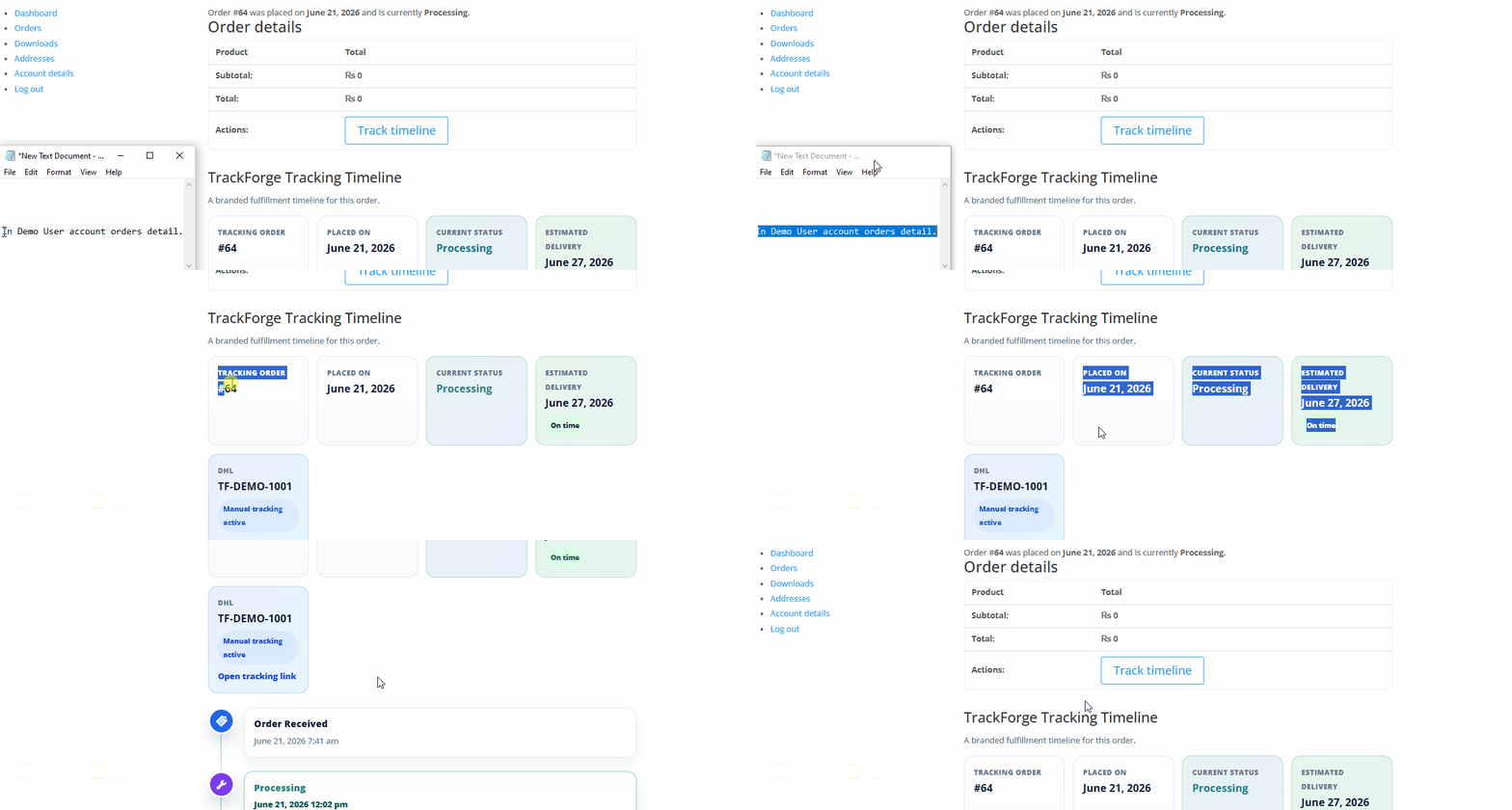
The branded stage journey appears directly on the customer's order detail screen.
WooCommerce emails can include a TrackForge card that guides customers back to the portal.
Store admins can create, reorder, disable, and style each TrackForge stage. This keeps the customer timeline flexible while WooCommerce order statuses continue working normally.
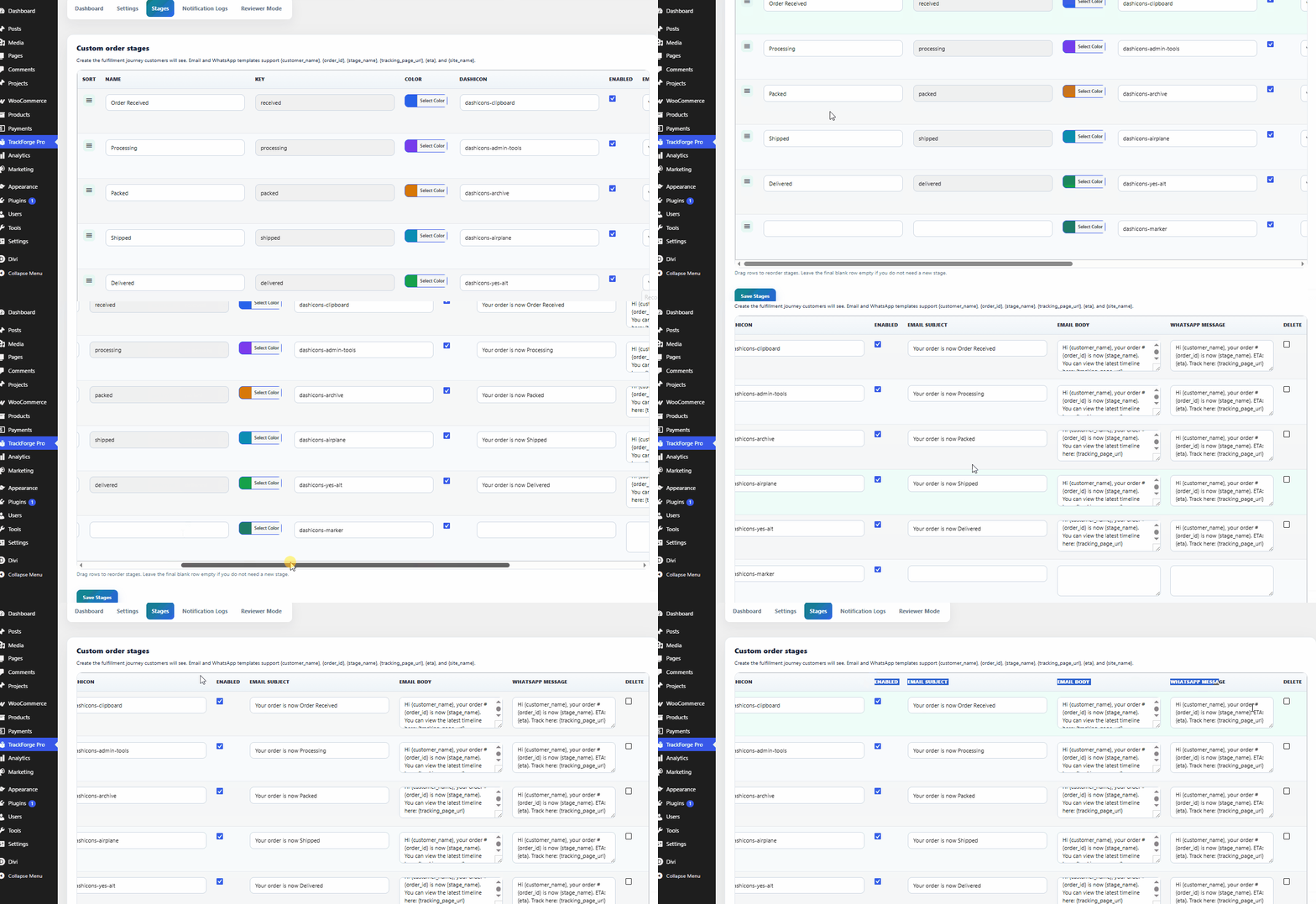
Create a store-specific fulfillment journey with custom stage names instead of relying only on WooCommerce statuses.
Reorder stages and control colors/icons so the customer timeline matches the brand and fulfillment process.
Each stage can carry email and WhatsApp copy, giving every update a clear customer-facing message.
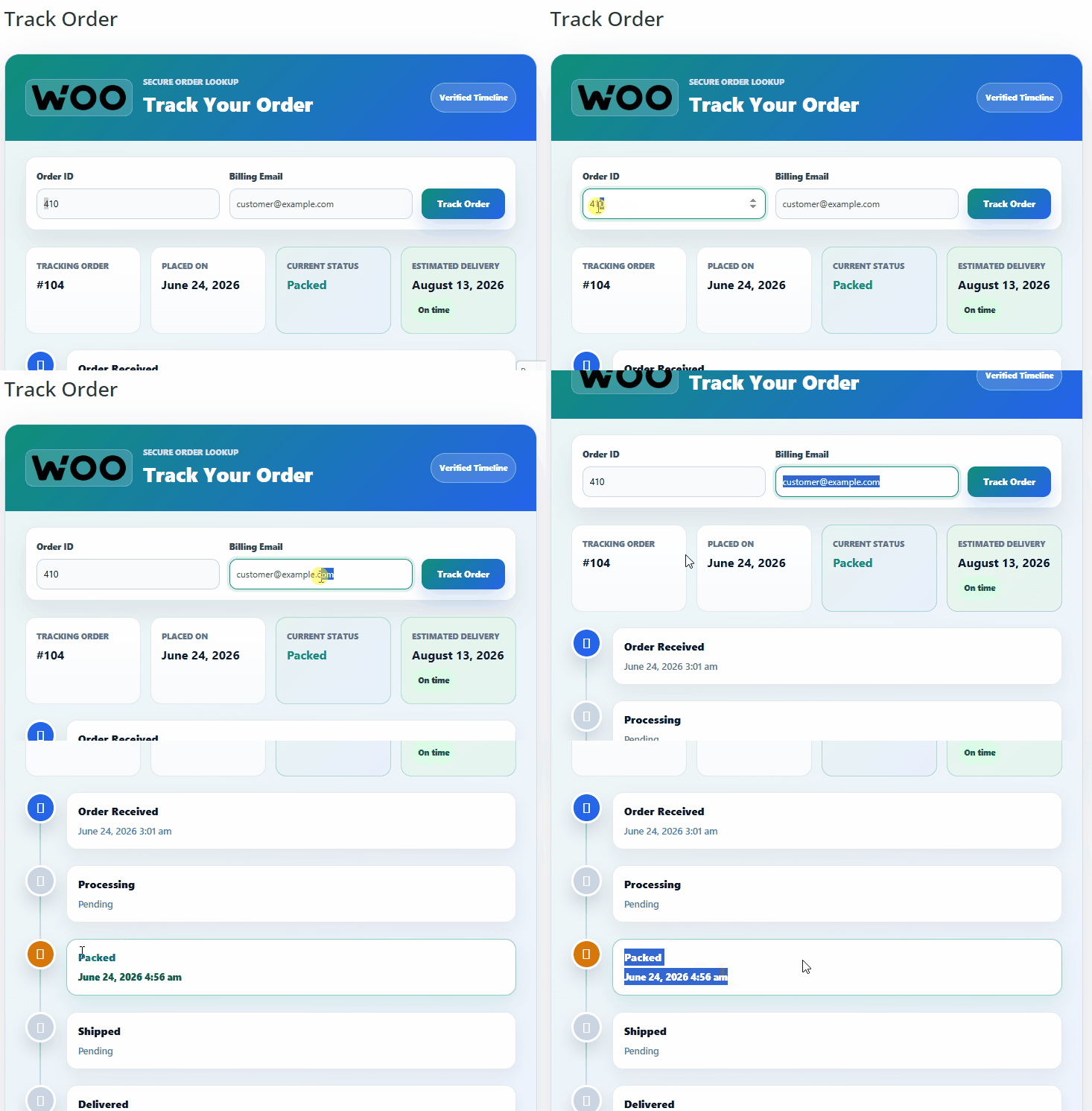
The customer sees completed, current, and pending stages as a readable branded order journey.
TrackForge Pro lets admins send customer emails when the TrackForge stage changes. WooCommerce emails can also include a tracking card, giving customers a clear path back to the branded portal.
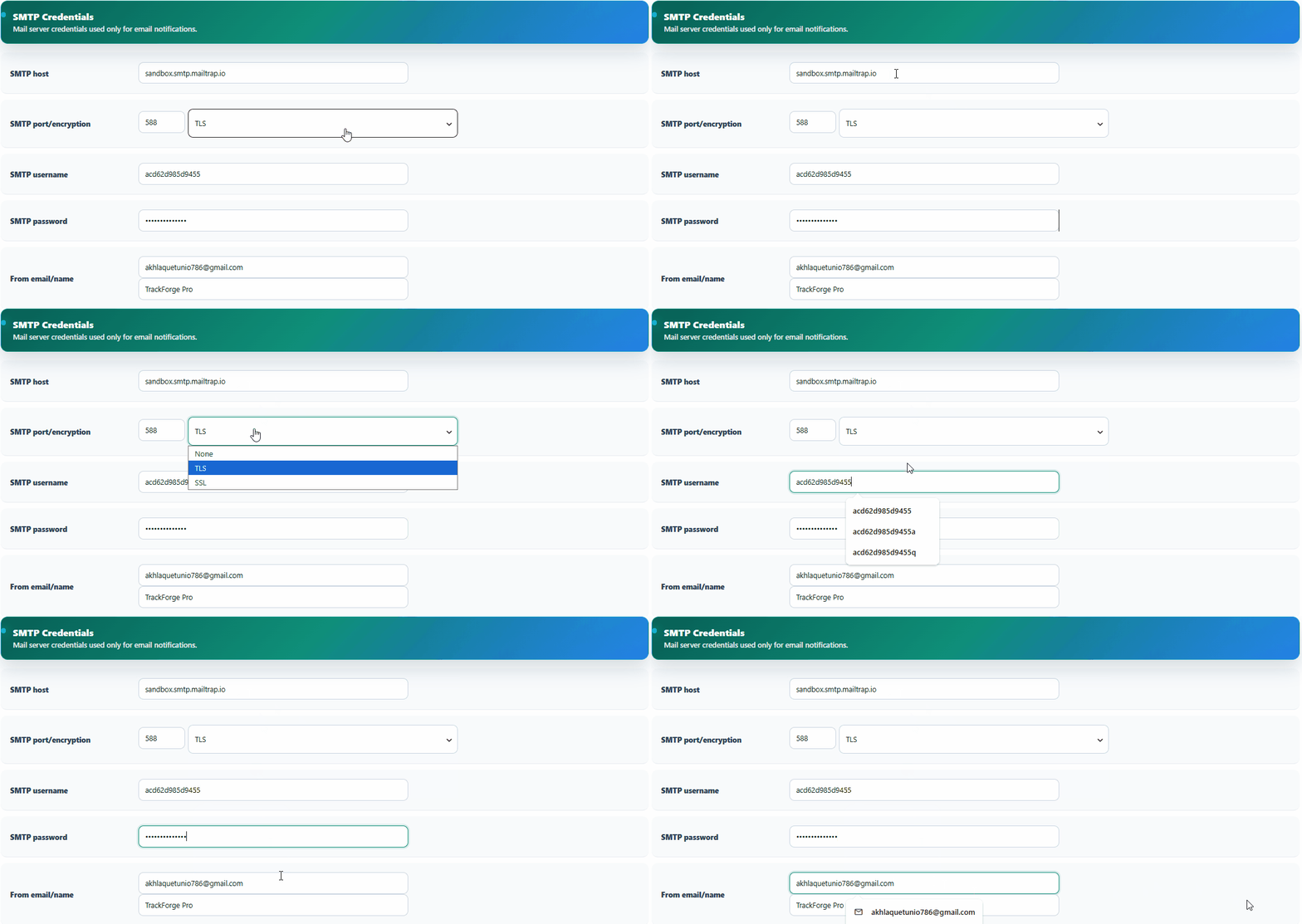
SMTP options help stores test reliable delivery on localhost, staging, and production environments.

The built-in test email flow lets merchants confirm sending before relying on customer stage alerts.
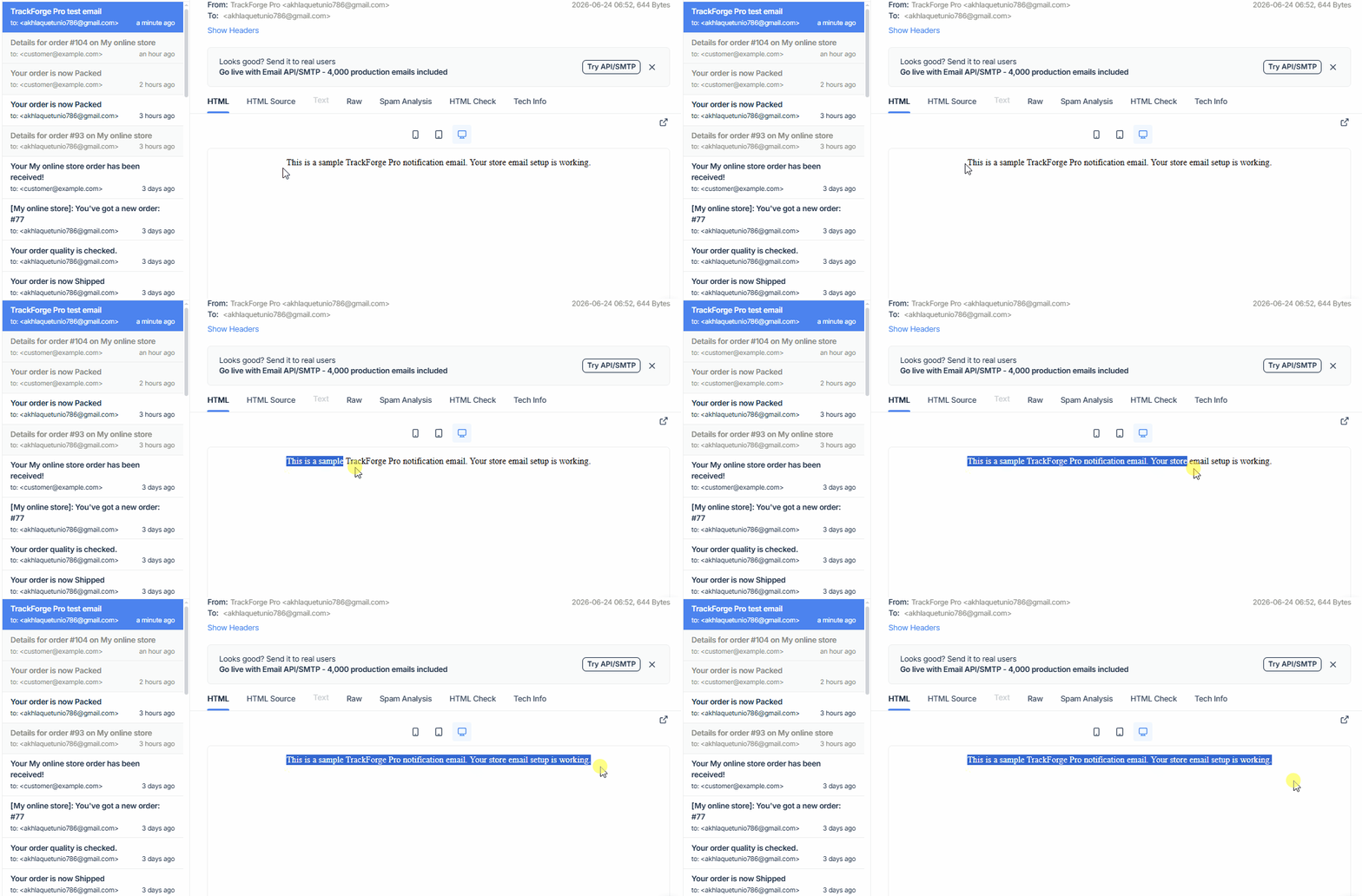
Every test or stage email can be reviewed in notification logs with success or failure status.
Use Mock WhatsApp Provider for demos and local testing, then switch to Twilio WhatsApp or WhatsApp Cloud API when live credentials are available. Templates support the same customer-friendly placeholders.
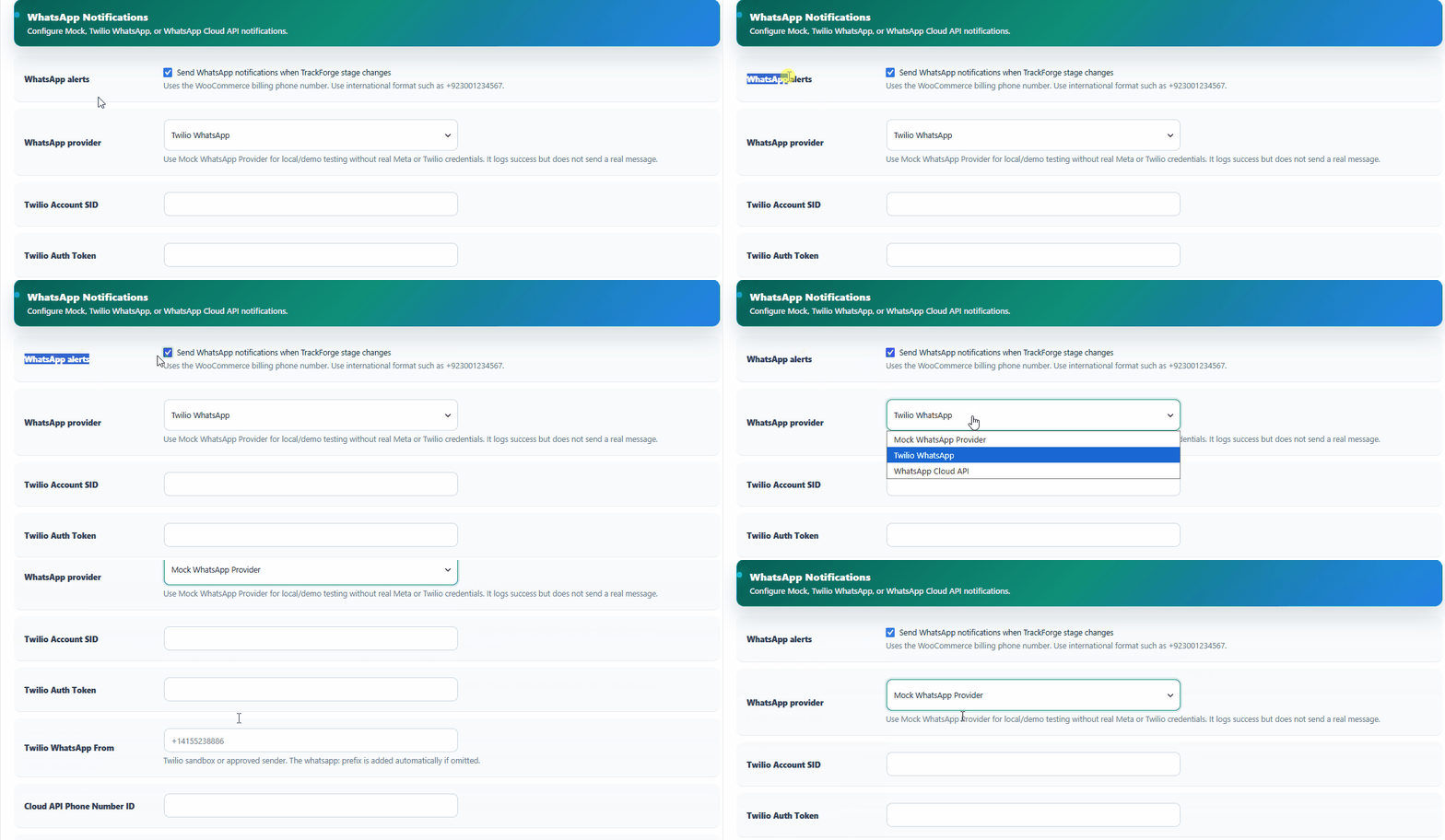
Admins can demo with the mock provider or configure Twilio and WhatsApp Cloud API for live stores.
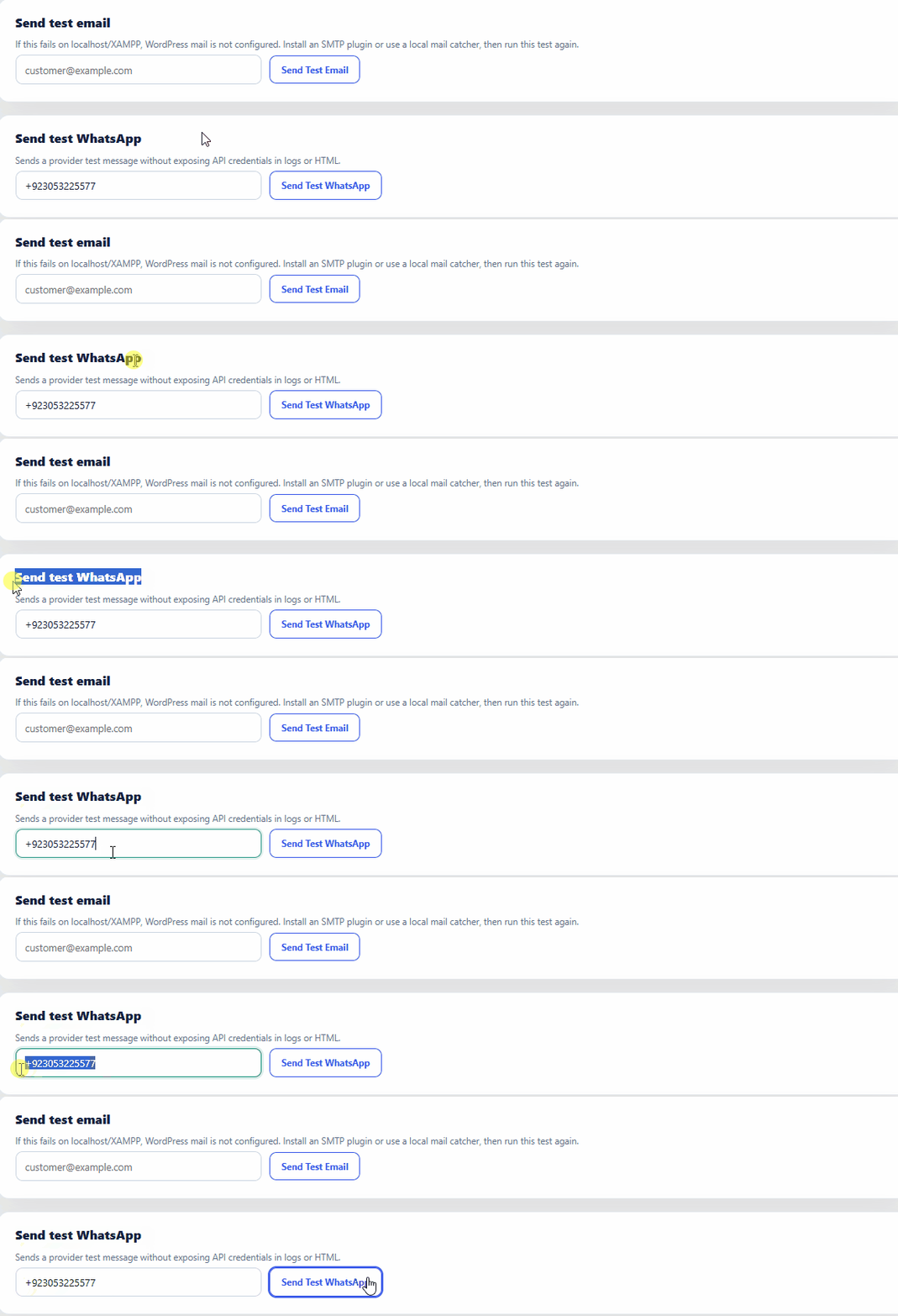
Stage-based WhatsApp templates support order, customer, stage, ETA, and tracking link placeholders.
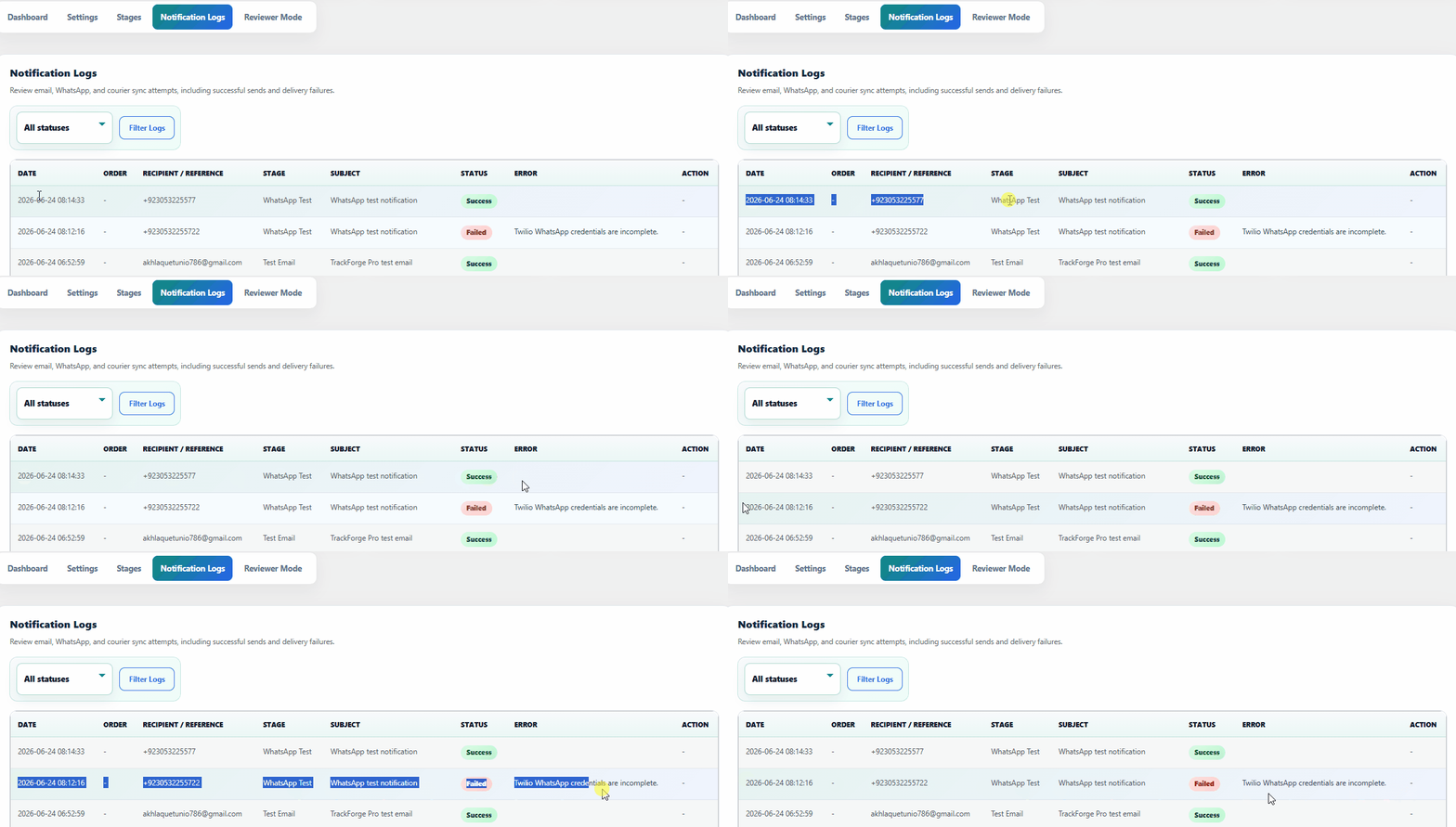
Test messages and provider responses are logged without exposing sensitive credentials to the frontend.
Set a default business-day range such as 3 to 5 days, then override individual orders when needed. Customers see a clear estimated delivery card with On time or Delayed status.
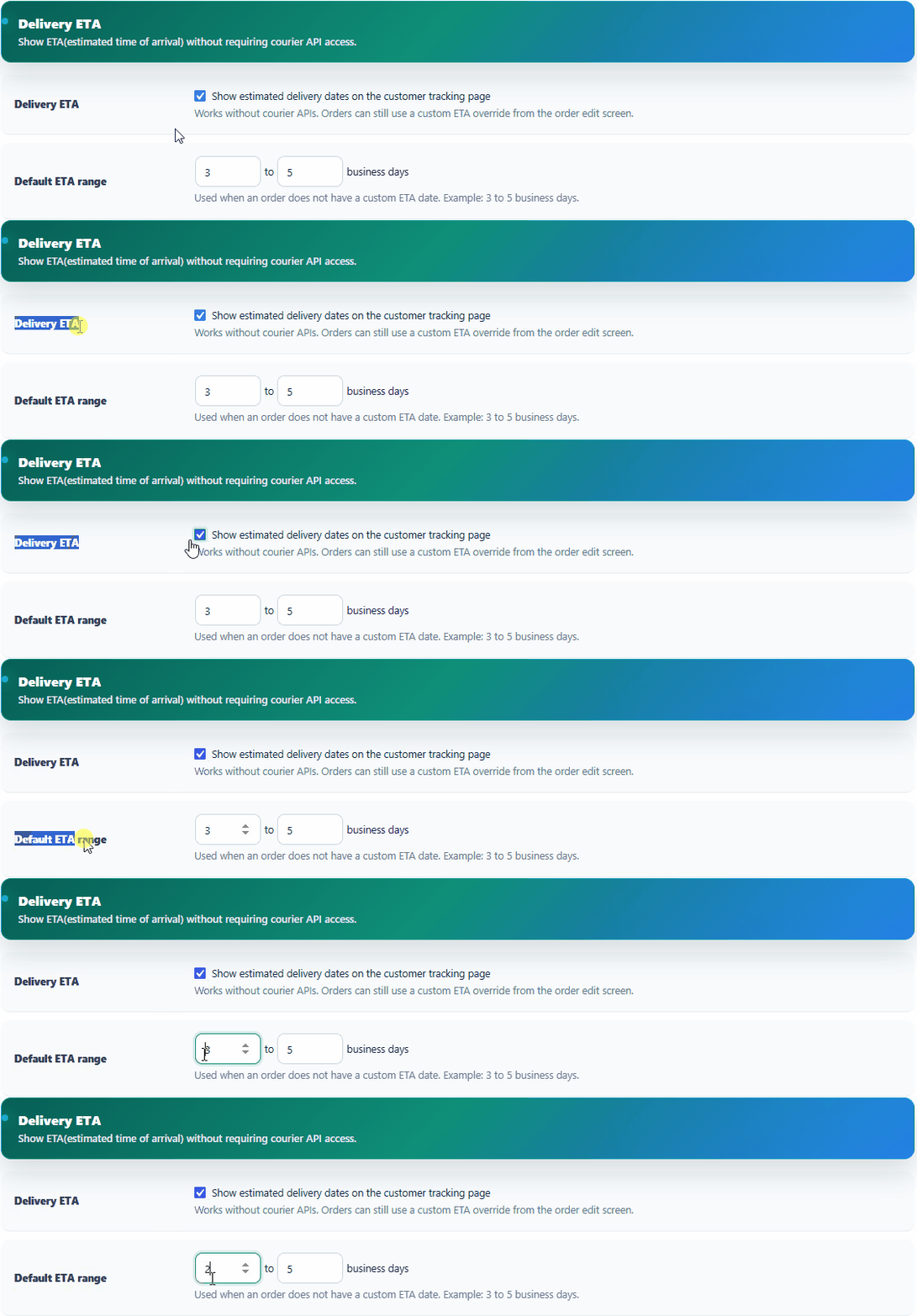
Set the default estimated delivery range in business days, even when no courier API is connected.
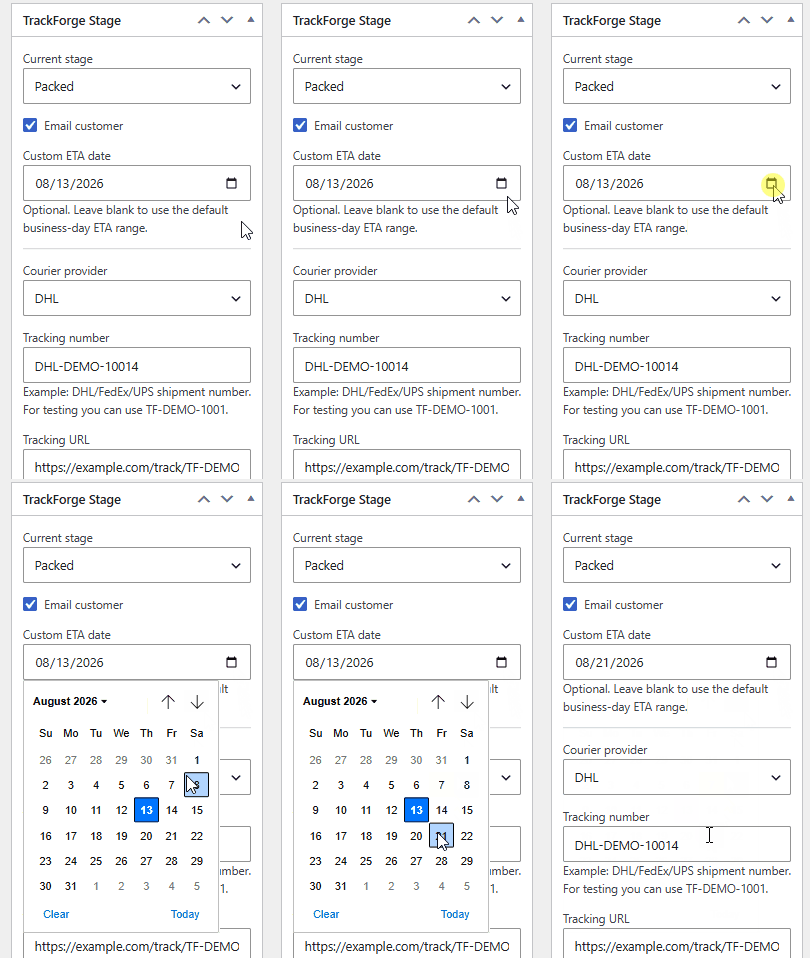
For individual orders, admins can override the default ETA with a specific delivery date.
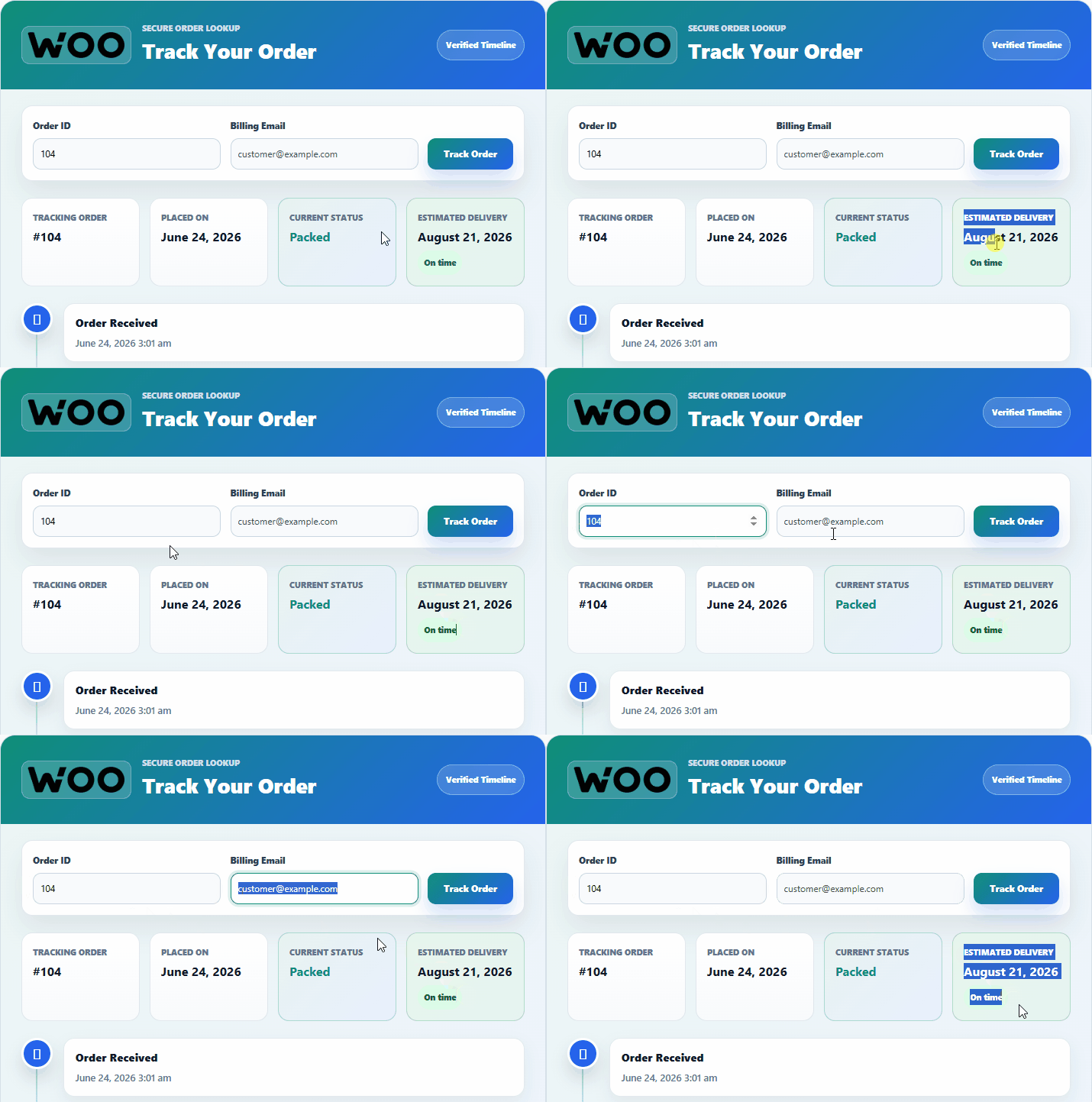
The customer sees a clear estimated delivery card with on-time or delayed context beside the timeline.
TrackForge Pro v1 supports Manual Tracking and a starter Custom API provider, with DHL, FedEx, and UPS placeholders ready for future deeper integrations.
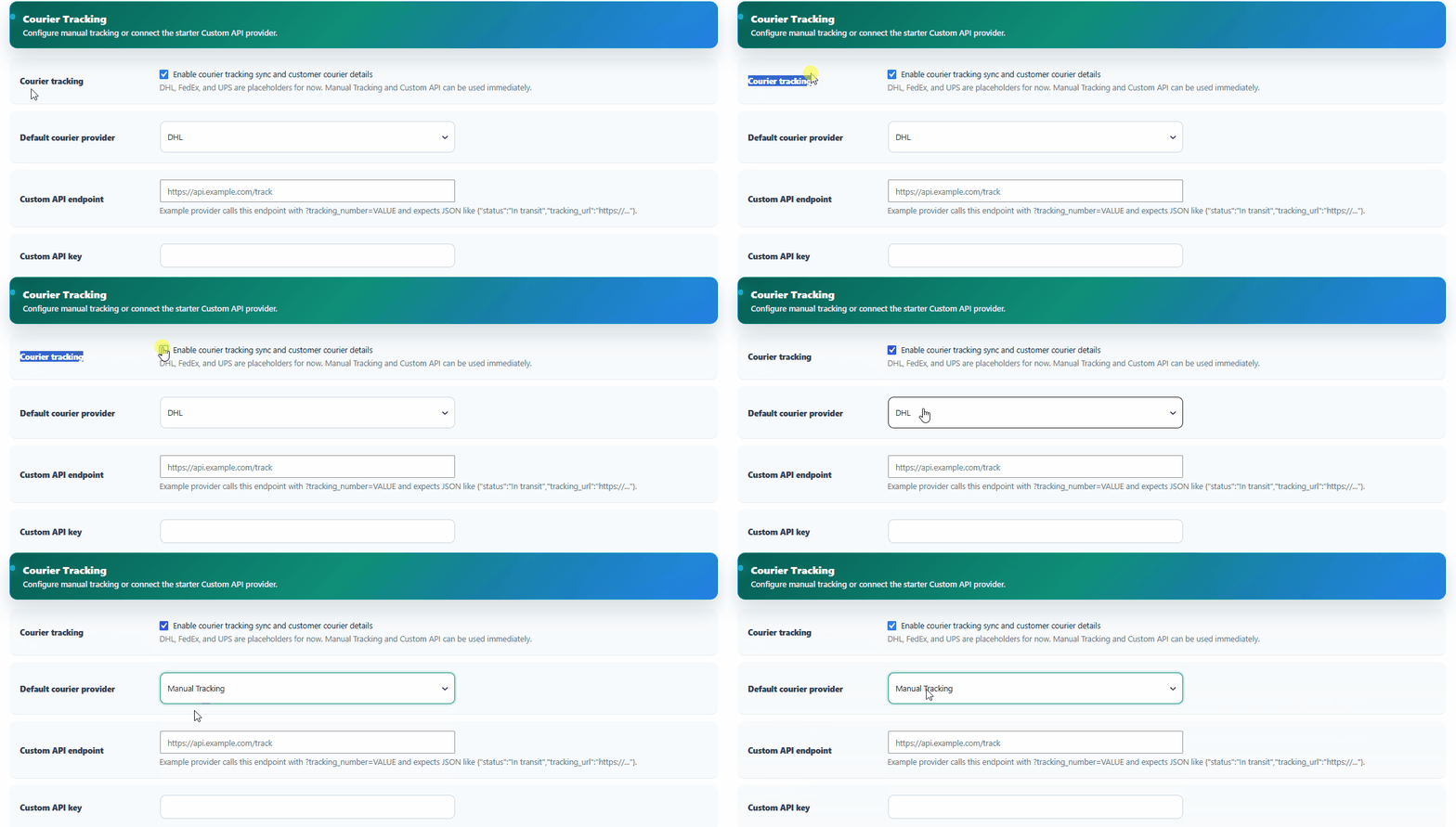
Courier tracking can be enabled globally with manual tracking or a starter custom API provider.
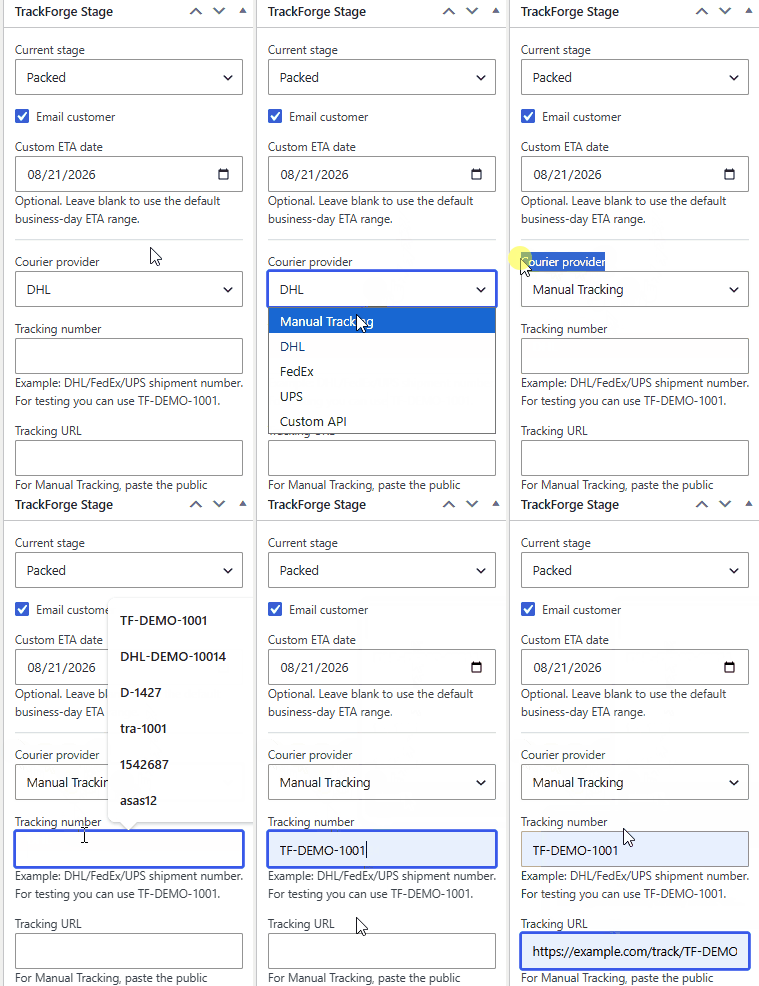
Order managers enter provider, tracking number, tracking URL, and sync status from the order edit screen.
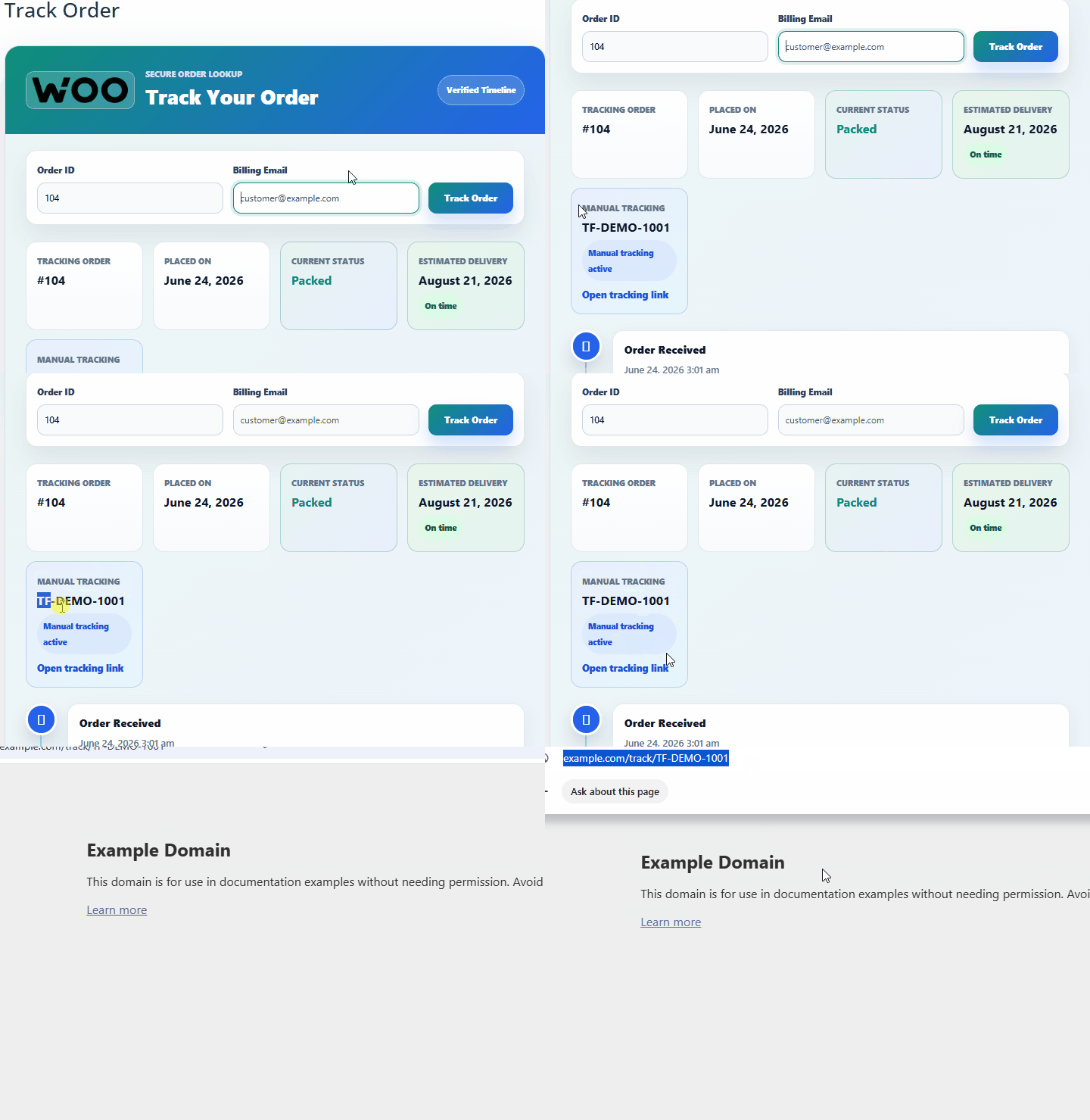
Customers get the courier reference directly inside the branded tracking page summary.
The external tracking link keeps customers moving from the store portal to the carrier reference when needed.
Email, WhatsApp, and courier sync results are recorded with order reference, recipient/reference, stage, subject, status, error message, and timestamp. Eligible failed notifications can be retried from the logs screen.
Branding, email, WhatsApp, ETA, courier, SMTP, tracking page, retention, and uninstall cleanup are organized into a clean admin workflow.
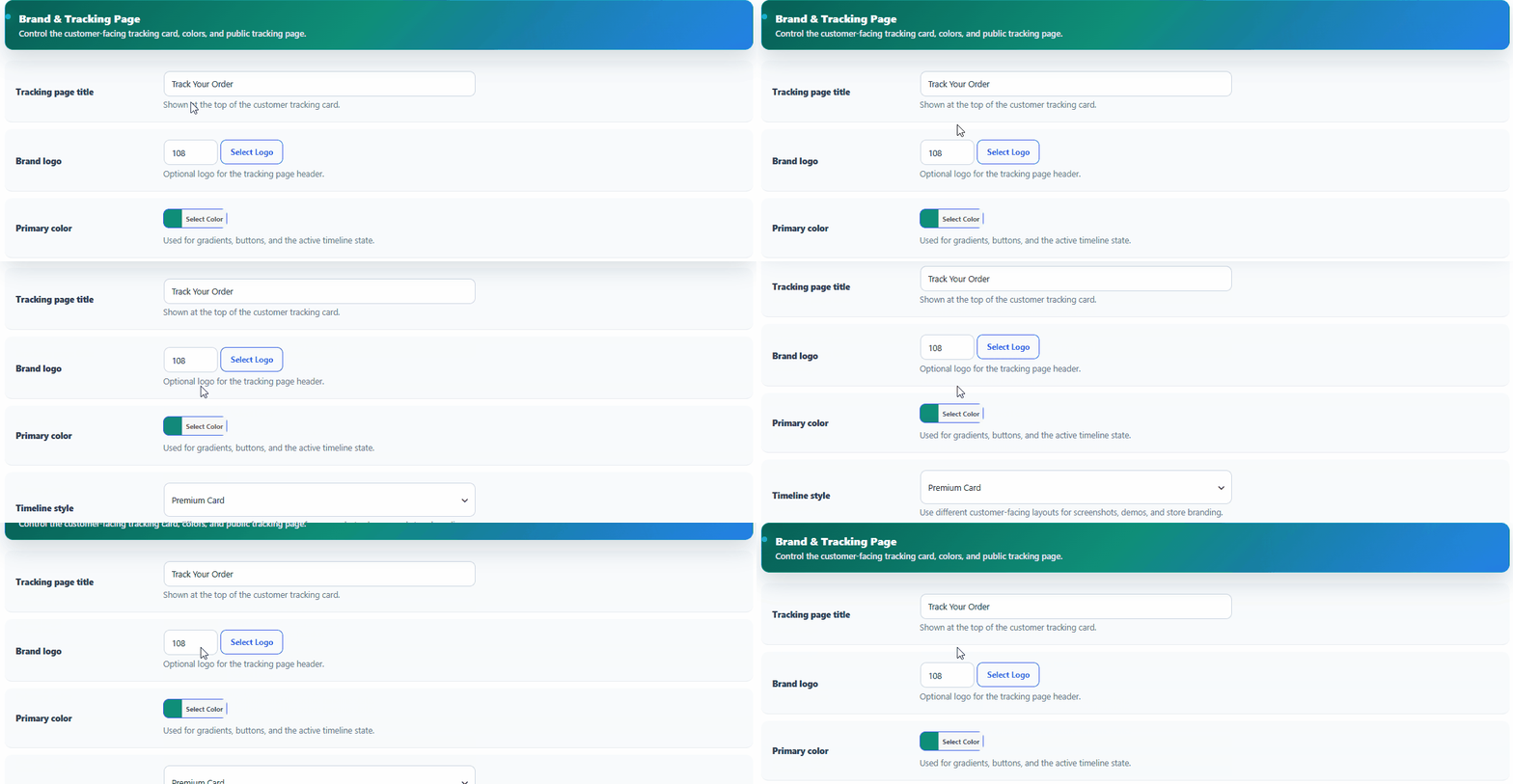
Brand settings control the tracking page title, logo, accent color, and timeline presentation style.
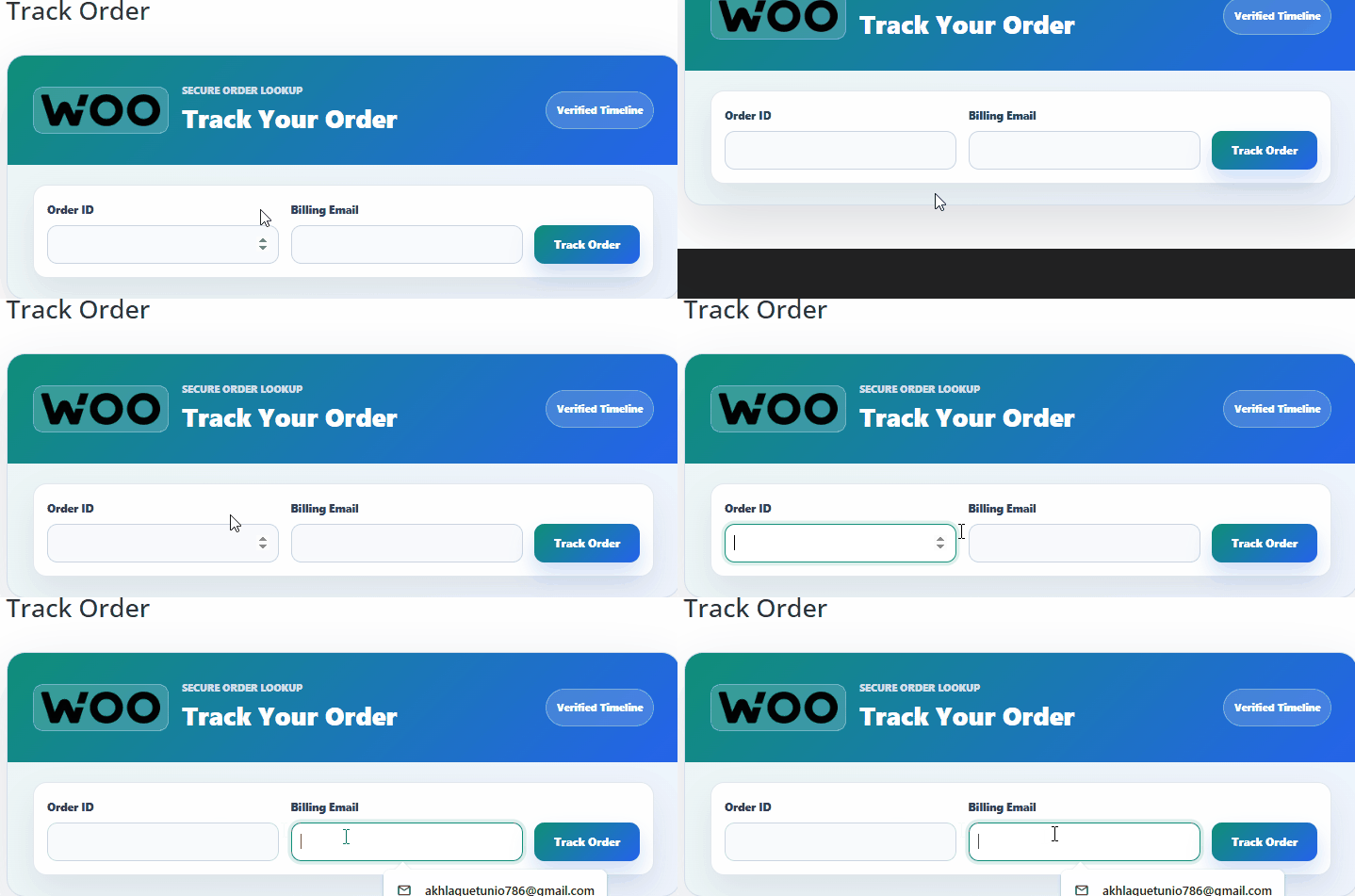
The frontend portal reflects the merchant brand so order tracking feels built into the store experience.
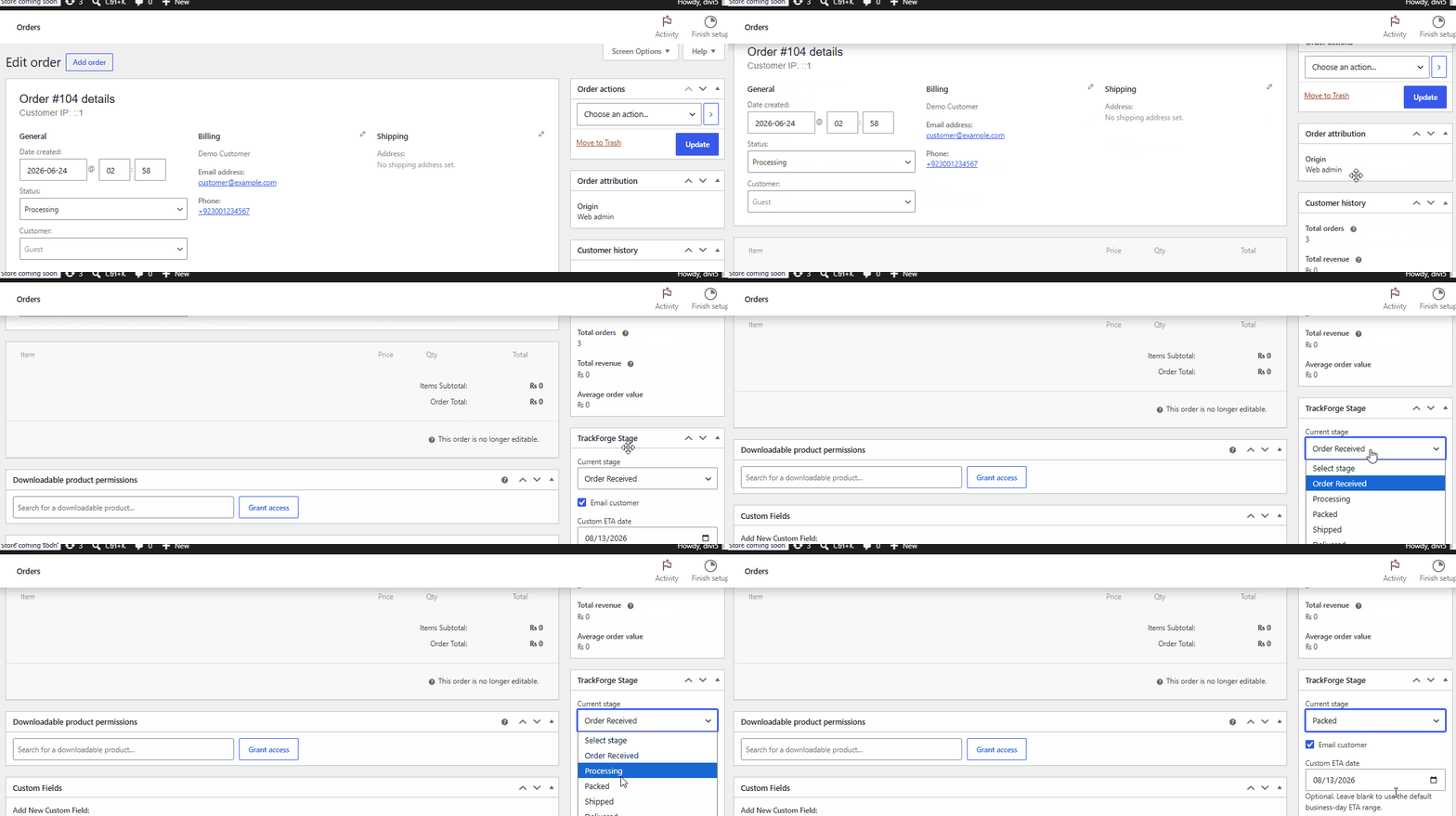
Admin updates the TrackForge stage from the WooCommerce order screen. TrackForge saves the timeline entry, updates ETA/courier visibility, sends enabled notifications, and records logs.
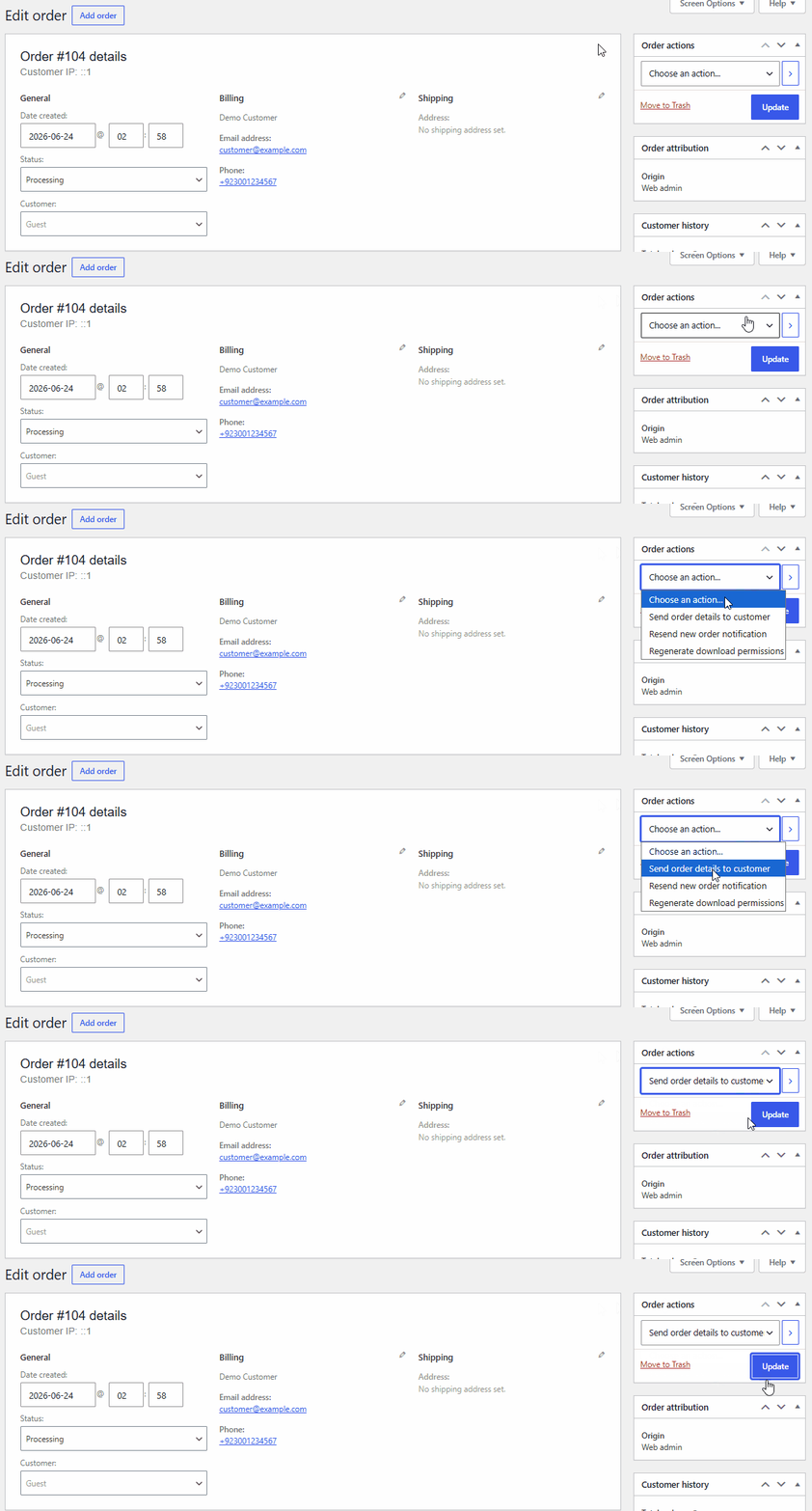
Admins update the TrackForge customer-facing stage directly from the WooCommerce order screen.
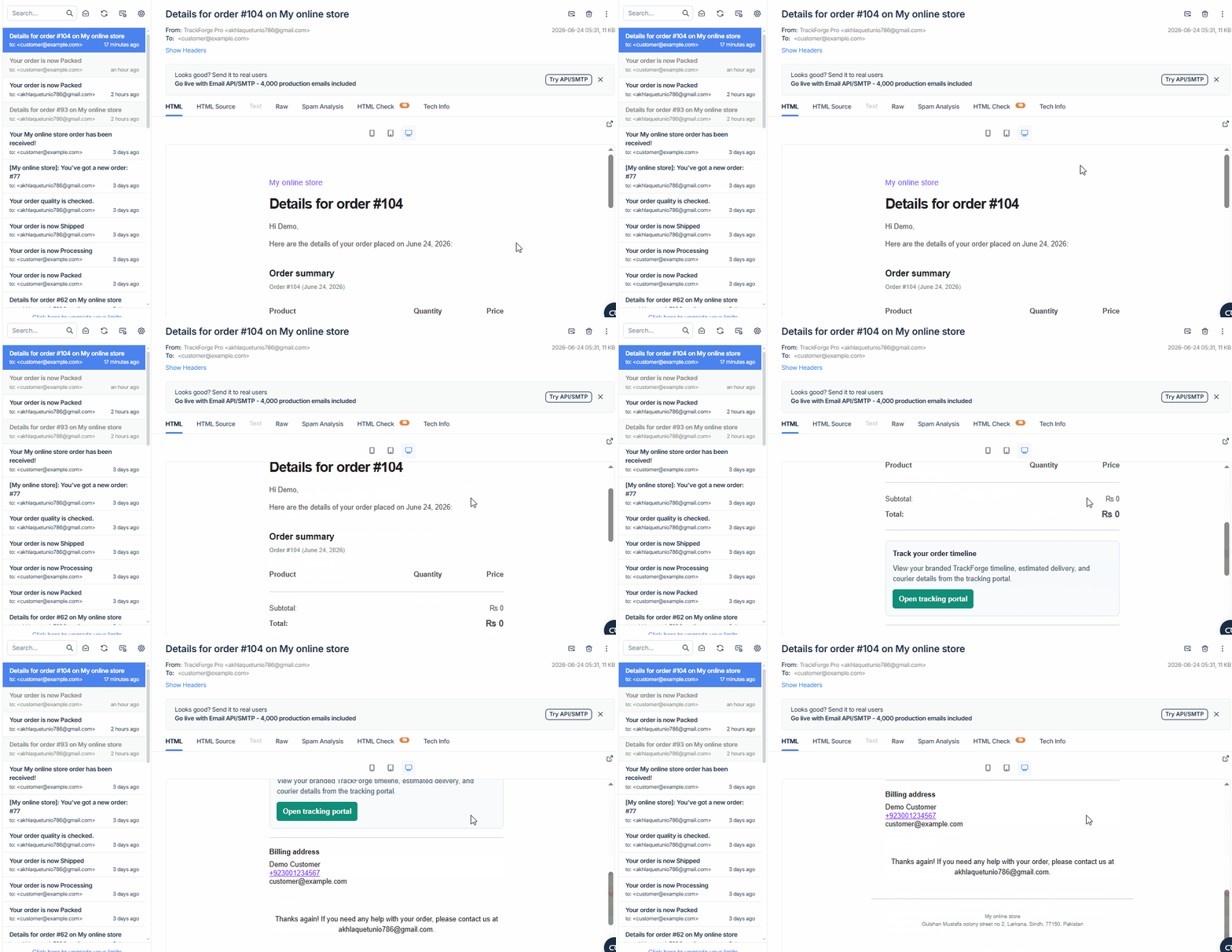
The stage change can trigger customer email communication and produce a visible reliability log.
The dashboard turns tracking activity into simple signals: lookups, notification success rate, failures, and demo readiness.
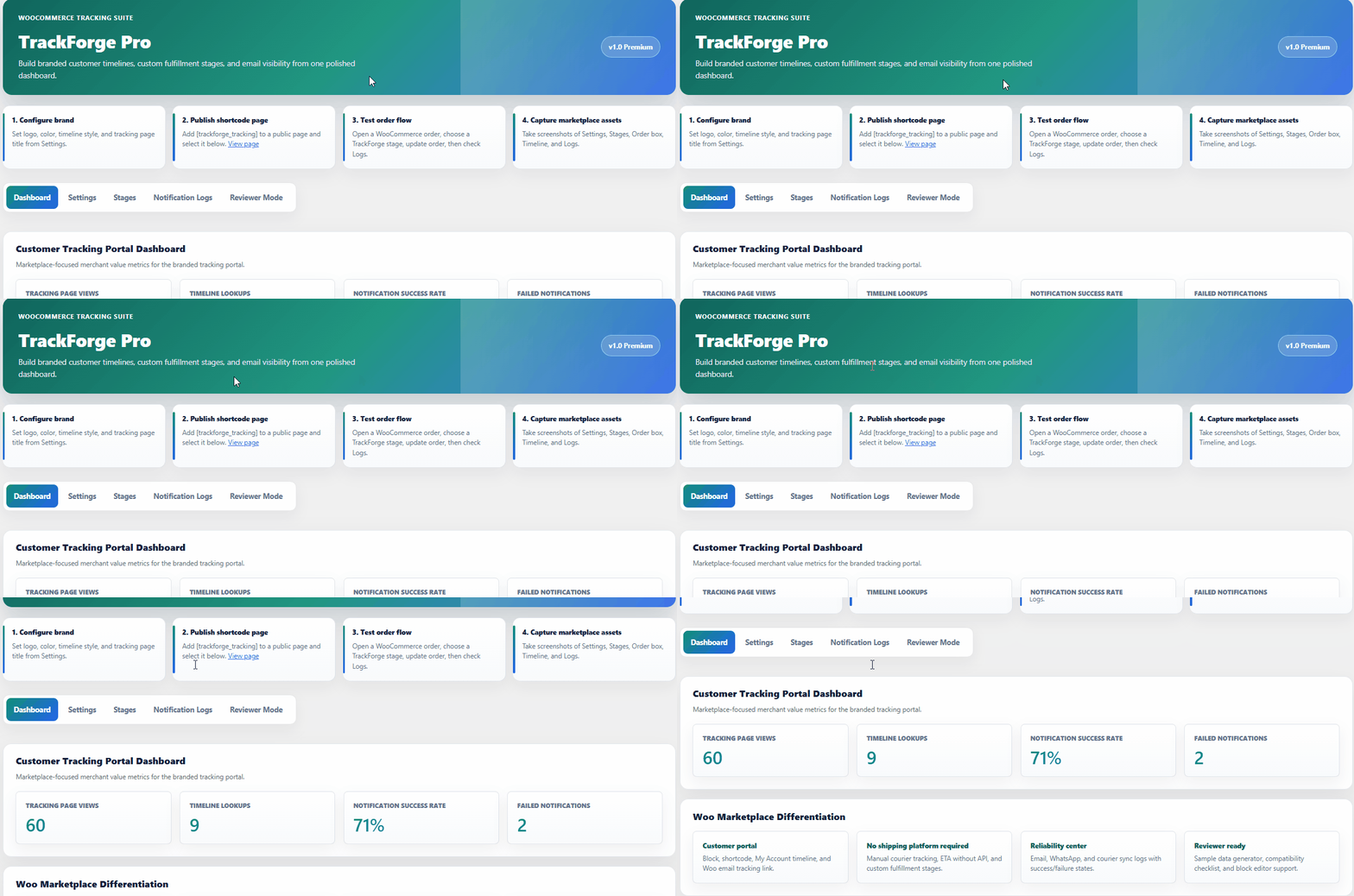
The dashboard summarizes self-service tracking activity and notification reliability for support teams.
Reviewer Mode prepares a sample tracking page, demo order, stages, mock WhatsApp setup, courier settings, and sample logs so reviewers can test the product quickly.
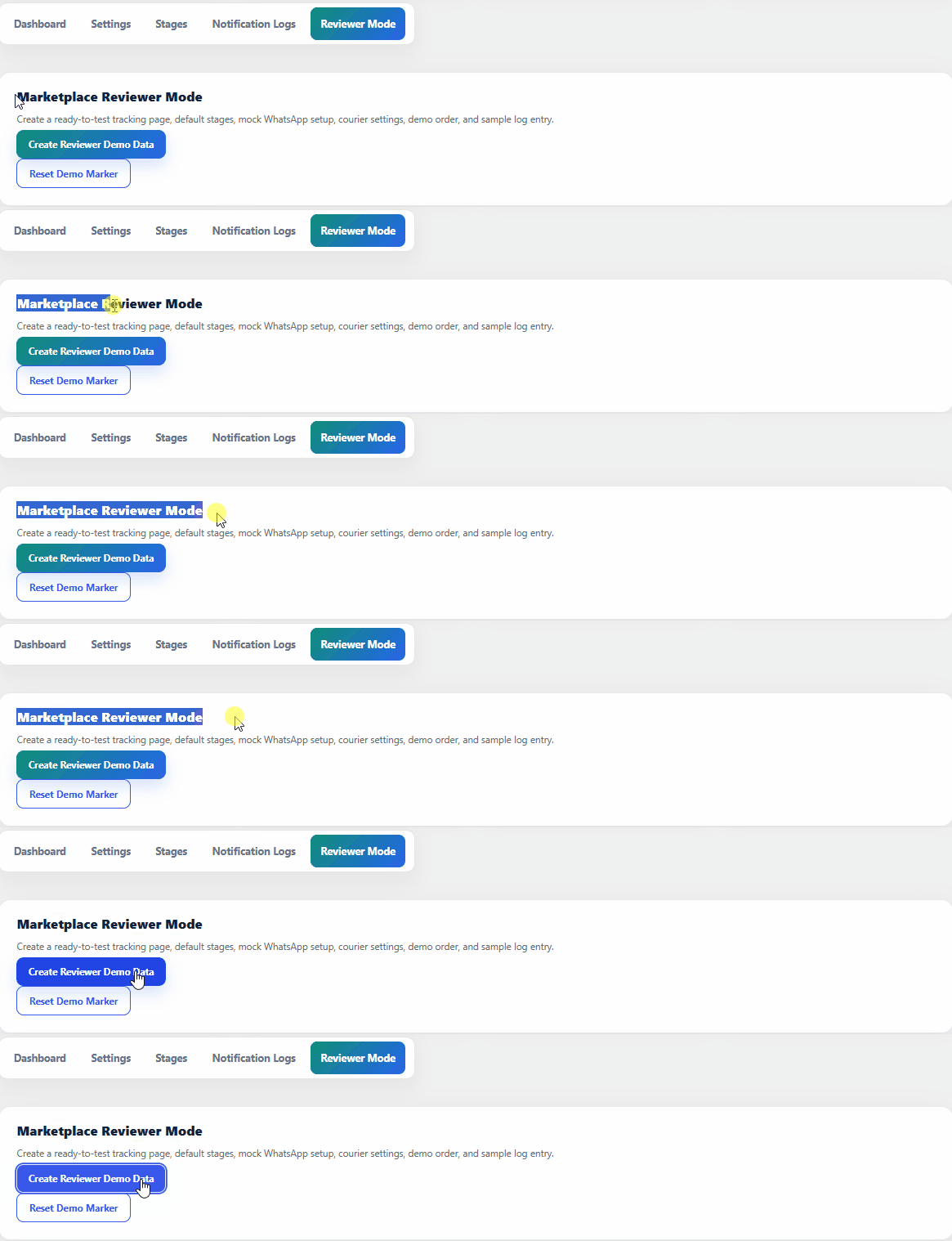
Reviewer Mode creates a ready-to-test tracking page, demo order, stages, mock provider, and sample data.
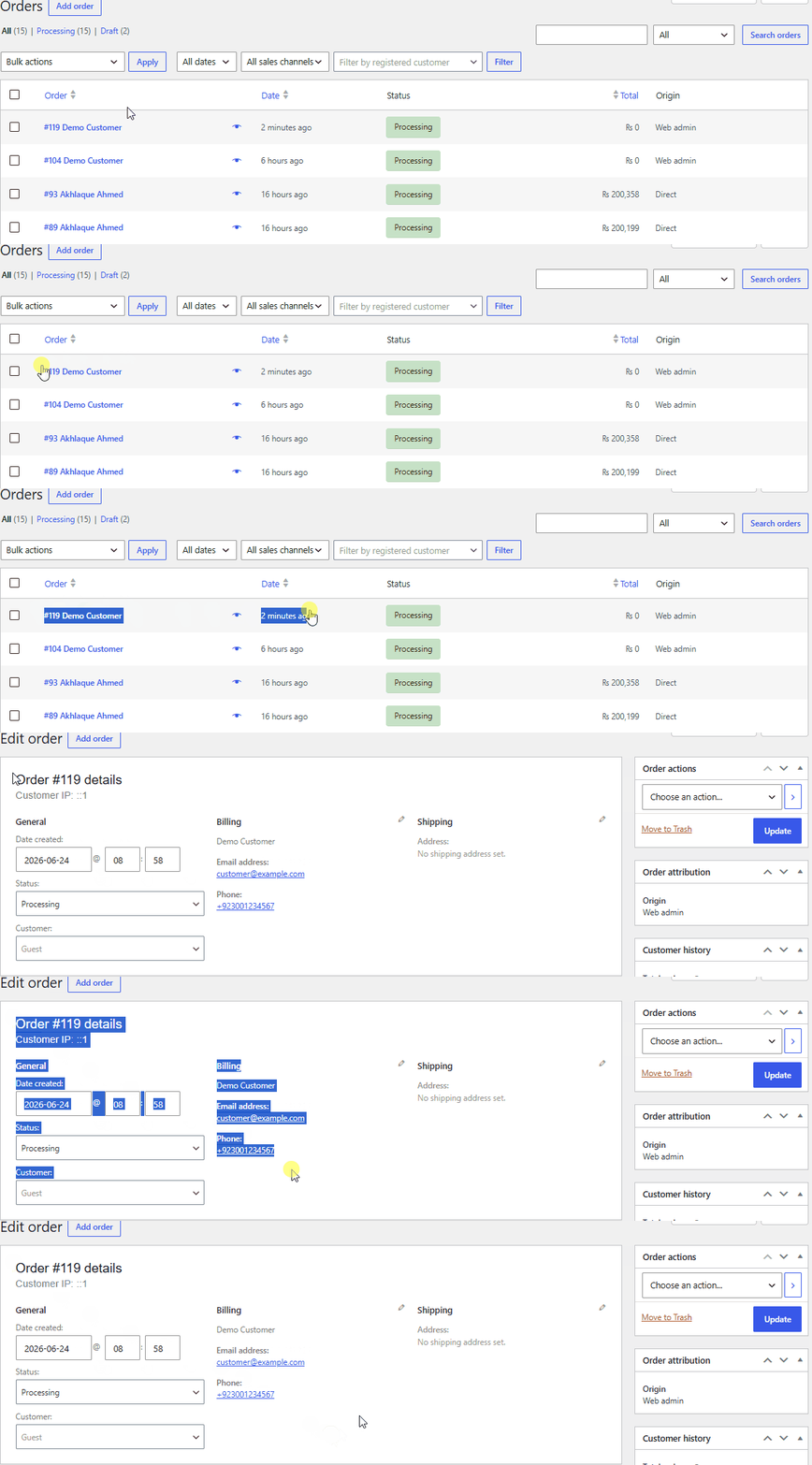
Reviewers get the sample order details and billing email needed to test the full customer journey quickly.
TrackForge is hardened around nonces, capability checks, safe output, safe SQL, redacted credentials, HPOS compatibility, privacy notes, and debug-mode QA.
TrackForge Pro's strongest selling angle is the all-in-one customer experience: visual timeline, ETA, My Account visibility, Woo email card, alerts, courier reference, and logs in one WooCommerce-focused workflow.